
You can’t use ADD CR, PUBLIC, AND PRIVATE BUTTON without Account

Provides real-time route tracking to your desired destination.

Provides detailed descriptions of Flushpoint features for better understanding.

Provides updates on the comfort rooms you’ve added.

The Private button helps you detect Private Comfort Room.

The Public button helps you detect Public Comfort Room.

The Nearby button helps you detect CRs within a 500-meter radius.

To clarify whether the comment about the CR is for male or female.

This system is for Sta. Maria residents only. You’ll notice that the pins appear only in Sta. Maria.

You can now see the comfort rooms you’ve added on the map, so you can stay updated. Tutorial Provides detailed descriptions of Flushpoint features for better understanding.

Inside Tutorial Provides detailed descriptions of Flushpoint features for better understanding.
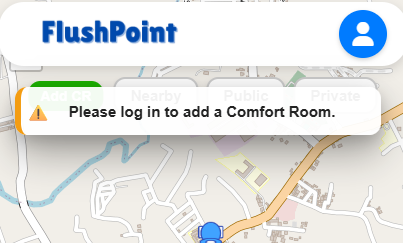
You must log in first before you can add a comfort room and use the Public and Private buttons.

Inside Your Added CR, you can now see whether the comfort room you added has been approved or declined by Admin.


Hi, Guest!
Guest Mode
User Reviews
Loading comments...